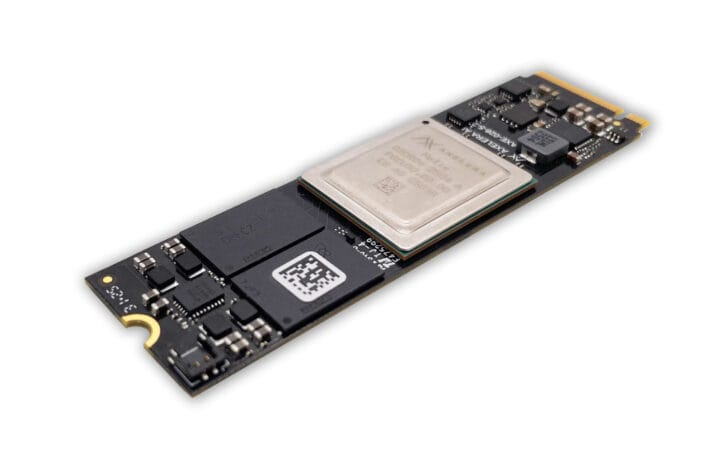
Axelera Metis M.2 Max Edge AI module

Oh baby, more research required
The new Metis M.2 Max also offers a slimmer profile, advanced thermal management features, and additional security capabilities. It is equipped with up to 16 GB of memory, and versions for both a standard operating temperature range (-20°C to +70°C) and an extended operating temperature range (-40°C to +85°C) will be offered. These enhancements make Metis M.2 Max ideal for applications in industrial manufacturing, retail, security, healthcare, and public safety.
Axelera Metis M.2 Max Edge AI module doubles LLM and VLM processing speed - CNX Software
Axelera AI’s Metis M.2 Max is an M.2 module based on an upgraded Metis AI processor unit (AIPU) delivering twice the memory bandwidth of the current Metis
 Jean-Luc Aufranc (CNXSoft)
I need to get on with moving my GPU to my LXC container on my Proxmox server.
Apparently, the process is considerably different to using it in a VM, then I need to get my own personal AI going again. The above module would be extremely handy to boost performance. Only have 1x slot left though, although I found an expansion card somewhere.
✅ Key Differences from VM Passthrough
- Do NOT bind GPU to VFIO (that would hide it from the host, breaking LXC passthrough).
- Drivers must be installed on the server.
- Containers only need user‑space libraries, not kernel modules.
- WARNING: This may break if the server updates its drivers
- WARNING: Remove the generic and Proxmox libraries - it will cause trouble
Reference:
How to Enable GPU Passthrough to LXC Containers in Proxmox
Learn steps to enable Proxmox LXC GPU passthrough for AI workloads. Learn how to configure GPU access in LXC containers step-by-step.
 Brandon Lee
Although I use a different method as not all NVidia drivers are the same. It works a treat.
#enoughsaid