Immich Photo Server

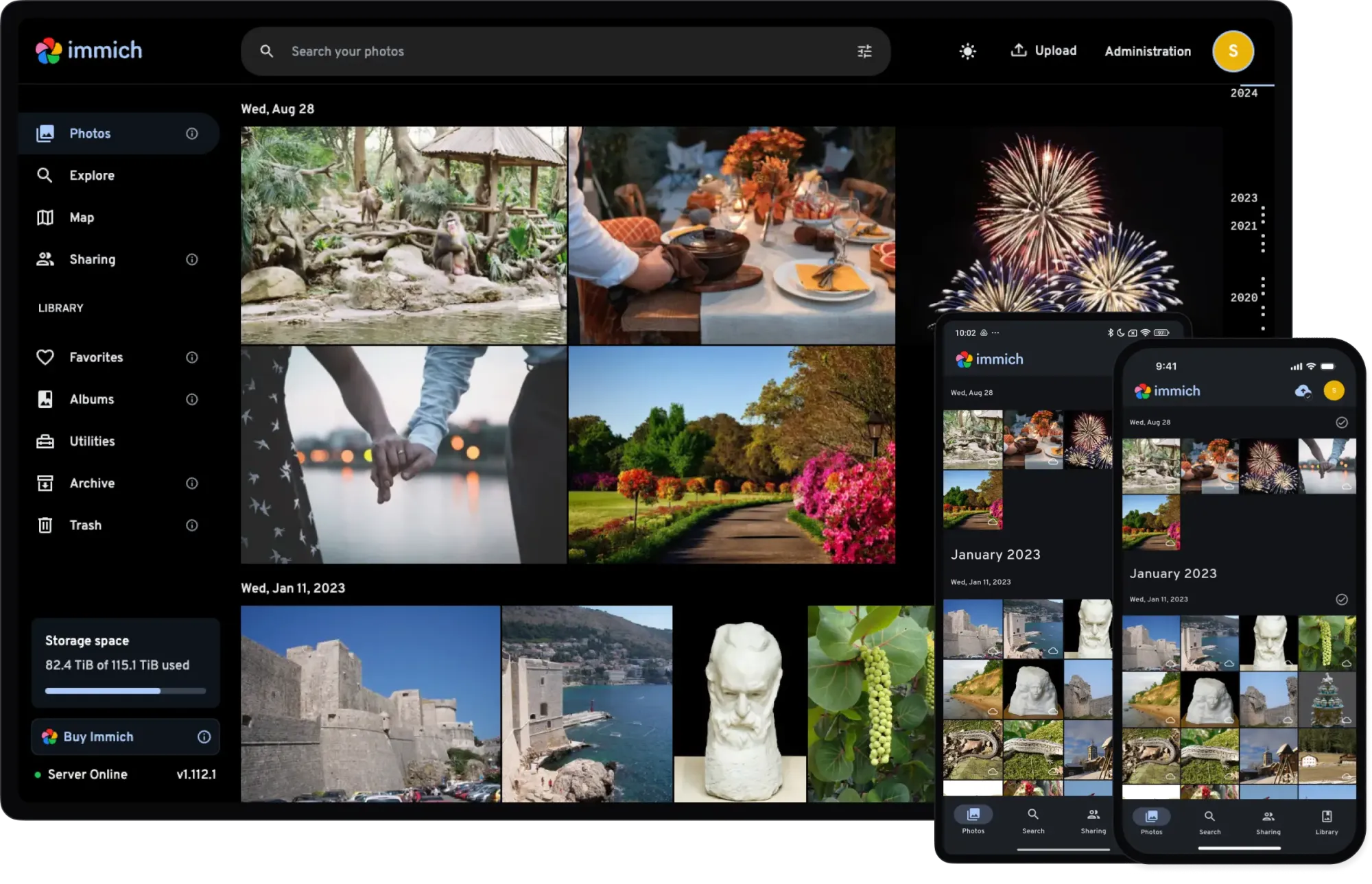
I am happy enough with this at the moment to publish it.
Current status
- Deployed
- 33000 photos ingested
- 1000 videos require transcoding due to old format - doing this for speed
- Android applications deployed and working, syncing images
- External web support not deployed at this time - internal use only
- Casting not yet tested


Immich is your own Google Photos with some limitations
- You cannot rotate, crop, edit your images at the moment. Hang on, yes you can in the Android application at least.
- It requires some grunt to run
- You can export the database via the mobile application
- Ensure you use storage templates as otherwise you upload folder will not purge, clean and you will deplete your storage quickly.
- Also works via VPN if you connecting to the same network.
I have deployed it via a Proxmox Debian 13 LXC container with at least 4Gb RAM and a 4Gb cache/swap file on 200Gb of hard drive. Beware that this LXC is running about 35 services, so Immich is not the only service. Current configuration is working well, and is connected internally, so no web access outside the home but Immich applications have been installed on mobiles and are working correctly.
Deployment
This docker compose service stack is deployed via Portainer on a Podman server
# Docker Compose file for Immich Photo Server

# Description: Immich is a self-hosted photo and video backup solution with AI-powered features.
# It offers automatic backup, organization, and sharing of media files.
# Reference:
#   https://docs.immich.app/install/docker-compose/
#   https://docs.immich.app/features/ml-hardware-acceleration
#
# Updated: 2025-12-22

services:
  immich-server:
    image: ghcr.io/immich-app/immich-server:${IMMICH_VERSION:-release}
    container_name: immich_server
    hostname: immich_server
    restart: always
    ports:
      - '2283:2283'
    depends_on:
      - redis
      - database
    labels:
      - com.docker.compose.project=Immich
      - com.docker.compose.service=Server
      - homepage.group=Family Services
      - homepage.name=Immich Photo Server
      - homepage.href=http://immich.baden.braedach.com
      - com.centurylinklabs.watchtower.enable=false
      - dockerflare.enable=false
    environment:
      DB_HOST: database
      DB_PORT: 5432
      DB_USERNAME: ${DB_USERNAME}
      DB_PASSWORD: ${DB_PASSWORD}
      DB_DATABASE_NAME: ${DB_DATABASE_NAME}
      REDIS_HOST: redis
      TZ: ${TZ}
    volumes:
      - immich-upload:/data:U
      - /etc/localtime:/etc/localtime:ro
      - /etc/timezone:/etc/timezone:ro
    # Add healthcheck in here at a later date
    cap_add:
      - SYS_TIME
    security_opt:
      - no-new-privileges:true
    networks:
      - immich-net
      - app-net

  immich-machine-learning:
    image: ghcr.io/immich-app/immich-machine-learning:${IMMICH_VERSION}-cuda
    container_name: immich_ML
    hostname: immich_ML
    restart: always
    labels:
      - com.docker.compose.project=Immich
      - com.docker.compose.service=Immich ML
    environment:
      - TZ=${TZ}
    volumes:
      - model-cache:/cache:U
      - /etc/localtime:/etc/localtime:ro
      - /etc/timezone:/etc/timezone:ro
    devices:
      # Podman NVIDIA GPU device mapping - remove if no GPU present
      - nvidia.com/gpu=all
    # Add healthcheck in here at a later date
    cap_add:
      - SYS_TIME
    security_opt:
      - no-new-privileges:true
    networks:
      - immich-net

  redis:
    image: docker.io/valkey/valkey:8
    container_name: immich_redis
    hostname: immich_redis
    restart: always
    labels:
      - com.docker.compose.project=Immich
      - com.docker.compose.service=Redis
    environment:
      - TZ=${TZ}
    volumes:
      - /etc/localtime:/etc/localtime:ro
      - /etc/timezone:/etc/timezone:ro
    healthcheck:
      test: redis-cli ping || exit 1
    cap_add:
      - SYS_TIME
    security_opt:
      - no-new-privileges:true
    networks:
      - immich-net

  database:
    image: ghcr.io/immich-app/postgres:14-vectorchord0.4.3-pgvectors0.2.0
    container_name: immich_postgres
    hostname: immich_postgres
    restart: always
    environment:
      POSTGRES_PASSWORD: ${DB_PASSWORD}
      POSTGRES_USER: ${DB_USERNAME}
      POSTGRES_DB: ${DB_DATABASE_NAME}
      POSTGRES_INITDB_ARGS: '--data-checksums'
      TZ: ${TZ}
    volumes:
      - /srv/immich/db:/var/lib/postgresql/data:U
      - /etc/localtime:/etc/localtime:ro
      - /etc/timezone:/etc/timezone:ro
    shm_size: 128mb
    # Add healthcheck in here at a later date
    cap_add:
      - SYS_TIME
    security_opt:
      - no-new-privileges:true
    networks:
      - immich-net

volumes:
  immich-upload:
  model-cache:

networks:
  immich-net:
    name: immich-net
    driver: bridge
  app-net:
    external: true
The following notes are provided:
- The proxy network is pre-existing
- The Immich network is generated on the fly
- The service stack is pulled manually via Portainer CE on updates
- Immich is locked to version 2 and will tell you when updates available
- The homepage labels are there to dynamically update the homepage service. They can be removed.
- The environment file is passed to the service stack via Portainer
- This is the base stack, No hardware acceleration. You can play with this


The environment file
Here is the base environment file
# Immich version tag (default: release)
IMMICH_VERSION=v2

# Uploads/media storage volume (mapped to immich-upload in compose)
UPLOAD_LOCATION=/var/lib/immich/uploads

# Database settings
DB_USERNAME=immich
DB_PASSWORD=[generate a password]
DB_DATABASE_NAME=immich

# Optional: override DB host/port if not using service name
DB_HOST=database
DB_PORT=5432

# Redis settings
REDIS_HOST=redis
REDIS_PORT=6379

# Timezone (used by containers if needed)
TZ=Australia/Perth

# Portainer-specific: you can add labels or override variables here
# Example: set GPU acceleration for machine learning service
# IMMICH_VERSION=release-cuda
As you can see the CUDA is disabled
Reverse Proxy
The reverse proxy configuration file is here.
Please pay attention to the WebSocket support required.
# --- Immich Reverse Proxy (NPMPlus Unified) ---

# Allow very large uploads (videos, backups)
client_max_body_size 50000M;

# Core headers
proxy_set_header Host              $host;
proxy_set_header X-Real-IP         $remote_addr;
proxy_set_header X-Forwarded-For   $proxy_add_x_forwarded_for;
proxy_set_header X-Forwarded-Proto $scheme;

# WebSocket support (live sync, notifications)
proxy_http_version 1.1;
proxy_set_header Upgrade           $http_upgrade;
proxy_set_header Connection        "upgrade";
proxy_redirect off;

# Upload/download timeouts (large files)
proxy_connect_timeout   600s;
proxy_send_timeout      600s;
proxy_read_timeout      600s;
send_timeout            600s;

# Buffering (optional, for API metadata)
proxy_buffers 16 4k;
proxy_buffer_size 8k;

# Authentication & Cookies
proxy_set_header Cookie $http_cookie;

# Optional: enforce canonical URLs without trailing slashes
# rewrite ^/(.*)/$ /$1 permanent;
This should be sufficient to get you up and running.
Next step, continue testing GPU passthrough, and enable CUDA acceleration.
Cheers
#enoughsaid