Why Every Container Scan Looks Terrible

(And What To Do About It)
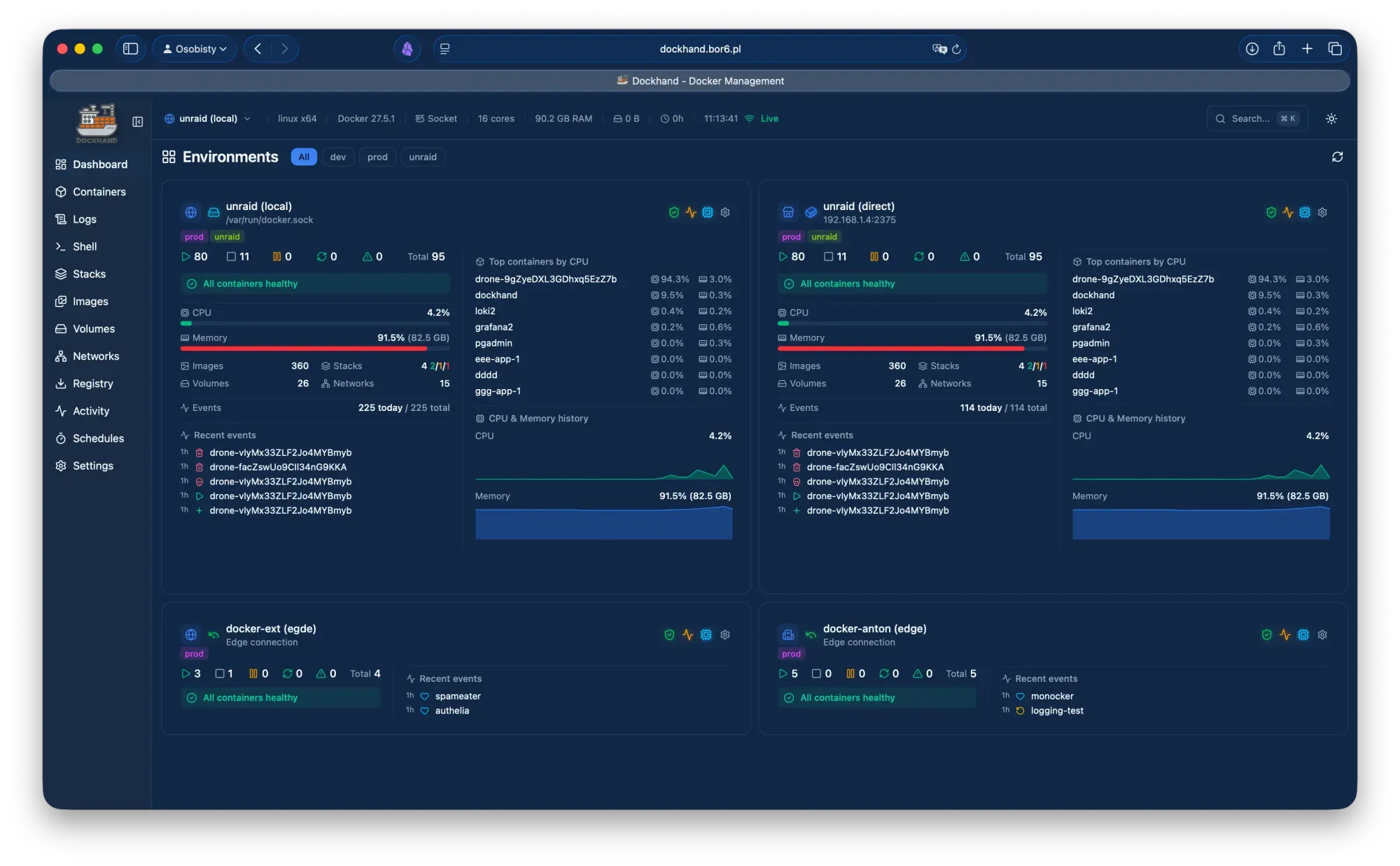
This post once again was the result of reading Brandon Lee. It was very enlightening and led to a redesign, the dropping of Portainer CE and a staggering amount of questions on container security management.
Short answer
A wall of Medium and High findings on a Debian-based container image is normal, and it does not mean the container is compromised. A scanner counts every installed package version that a vulnerability database marks as affected, whether or not the code is reachable, exploited, or even fixable. This post explains where those numbers come from, why Debian images look worse than they are, and how to cut hundreds of findings down to the few that deserve action.
- The results from Trivy or Grype, are only as good as their data sources.
- Debian fixes by backporting. It also triages many CVEs as not worth an emergency update, yet scanners still list them (Debian security FAQ).
- Filter in this order. Fixable first, then actively exploited, then reachable in your setup.
- Report to maintainers rarely. Only when a fix exists and the image was not rebuilt, or an application dependency is affected.
- Linux workstations and servers. Is a completely different issue.
The scanner is not lying. It answers "is this package version affected?" accurately and "does this matter to me?" not at all.
How a container scanner actually works
A scanner does three things: it inventories packages, matches them against advisories, and prints a severity for each match. Each step has limits, and the limits explain most of the noise.
1. Inventory. Trivy reads what the package manager recorded (dpkg and apt on Debian). Software built from source or fetched with curl is generally missed, with exceptions such as Go binaries and JAR files (Trivy Debian coverage).
2. Matching. For OS packages, Trivy consumes advisories only from the OS vendor, here the Debian Security Tracker. Debian backports fixes without changing the upstream version, so comparing against upstream advisories would raise false alarms (Trivy vulnerability docs). Language packages (npm, pip, Go modules) use ecosystem databases such as the GitHub Advisory Database instead.
3. Reporting. Trivy states that it favours precision, accepting some missed findings to avoid false positives. A --detection-priority comprehensive mode trades the other way. Grype describes its own matches by confidence: exact package matches are high confidence, while CPE matches need human verification (Grype results guide).
What the output can and cannot tell you:
| Question | Does the scan answer it? |
|---|---|
| Does the vendor list this package version as affected? | Yes, reliably |
| Is a fix available from the vendor? | Yes, from the same data |
| Is the vulnerable code loaded by your service? | No |
| Is it reachable from the network in your setup? | No |
| Is it being exploited in the wild? | Only if the report shows KEV or EPSS |
Everything in the last three rows is judgement you supply. The rest of this post is about supplying it efficiently.
Why Trivy and Grype disagree, and where Dockhand fits
Severity is a choice of source, and the two tools choose differently. That is why the same image can look Medium in one report and High in another.
Trivy takes severity from the vendor's own data where it can. Its documentation gives CVE-2023-0464 as the example: NVD rates it High, Red Hat rates it Low, and Trivy shows Low because the vendor knows how the package was built and configured. If the vendor gives no rating, Trivy derives one from the CVSS score, then falls back to NVD (Trivy vulnerability docs). The JSON output records the winner in SeveritySource and lists every rating in VendorSeverity.
For Debian specifically, Trivy uses the "Urgency" field from the Security Tracker, and falls back to NVD when Debian supplies none. Its example is CVE-2019-15052: Critical in NVD, Low by Debian's urgency (Trivy Debian coverage).
There is a tension worth testing yourself. Debian's security team says it stopped applying low, medium and high levels to current tracker data around 2019 (Debian Security Tracker docs). Its FAQ adds that Debian neither provides CVSS scores nor uses external ones when triaging (Debian security FAQ). My inference, not verified: for newer Debian entries a scanner may have no Debian rating to use and falls back to NVD-derived severity, which tends to read higher. You can check this on your own data by running trivy image --format json <image> and counting the SeveritySource values on your Medium and High findings.
Grype is built differently. It matches against NVD and distro advisories, and adds EPSS, a KEV flag and a combined risk score, sorting by risk by default (Docker docs, Grype results guide). I did not verify how Grype chooses severity for Debian packages, so compare both tools on one image before trusting either number.
| Task | Trivy | Grype |
|---|---|---|
| Hide findings with no fix | --ignore-unfixed |
--only-fixed |
| Hide by vendor status | --ignore-status |
--ignore-states |
| Fail a pipeline by severity | --severity with --exit-code |
--fail-on |
Flags are from the Trivy docs, the Grype filtering guide and a GitLab merge request that documents the two status flags.
Why Debian images look so bad
Debian images look bad mainly because Debian publicly records every CVE it triages, including many it has decided not to rush a fix for, and scanners report all of them. That is Debian being transparent, not Debian being insecure. Its security tracker describes itself as a place where "Debian doesn't hide problems" (Debian Security Tracker docs).
Fixes arrive by backporting, not by version bumps. A stable release keeps its shipped versions and receives targeted patches, so a package can look years old and still be fixed. The Debian FAQ says to judge it by the changelog or the advisory, not the version number (Debian security FAQ). This is why scanners must use Debian's own data rather than upstream advisories.
Not every CVE gets an advisory. Debian's FAQ states that a CVE identifier does not by itself mean a serious threat to a Debian system. Low-impact issues are fixed in the next release or a point release, or are bundled into an advisory issued for something more serious. The tracker labels these cases explicitly:
| Tracker state | Meaning, paraphrased | Fix expected? |
|---|---|---|
unimportant |
Does not affect the Debian binary in practice, for example code that is not built or only exploitable if setuid | No |
no-dsa |
Real but minor, so no advisory | Possibly, in a point release or bundled with another update |
postponed |
Deserves a fix, but not an advisory of its own, or a fix is already queued | Yes, later |
ignored |
Deliberately left unfixed | No |
end-of-life |
No longer supported by the security team in that release | No |
unfixed |
Affected, and no fix exists yet | Not yet |
States are from the tracker documentation. For Debian, Trivy supports the statuses Fixed, Affected, Fix Deferred and End of Life, and you can filter on them (Trivy Debian coverage).
Tracking is by source package. Debian's tracker works on source packages, so one finding can fan out across every binary built from that source. The debsecan manual says this flags documentation-only binaries as vulnerable too (debsecan manual). Whether Trivy and Grype inflate counts the same way I did not verify.
Three further causes are my own reasoning, not sourced claims. Debian base images carry many general-purpose libraries and tools that your service never calls, and each adds findings. An image built months ago on an older base shows fixable findings that a rebuild would clear. Alpine and distroless images usually look cleaner largely because they contain less to scan, not because the code that remains is immune.
Vendors that sell hardened images also publish VEX statements, which mark specific findings as not relevant to how the image runs, so their scans show fewer results (Docker docs). Read that as a commercial pitch with a real mechanism behind it. VEX is a genuine standard, and Grype can consume it (Grype filtering guide).
Reading a report: fixable, exploited, reachable
A severity label alone is a poor guide to what to patch first. Three better questions are whether a fix exists, whether attackers are actually using the flaw, and whether your setup exposes it.
| Signal | What it tells you | Caveat |
|---|---|---|
| Severity label | Vendor or NVD view of impact | Source differs between tools, and it is not a risk measure |
| CVSS base score | Technical severity in the abstract | FIRST's own material says base scores are not risk, and calls them only slightly better than chance at predicting exploitation |
| EPSS | Estimated probability of observed exploitation in the next 30 days, refreshed daily | Not a risk score. It knows nothing about your environment |
| CISA KEV | Evidence that exploitation has happened in the wild | A short list, so absence does not mean safe |
| Fix available | Whether you can act at all | Taken from vendor data, so check the fixed version |
| Reachability | Whether the vulnerable code runs and is exposed | Only you can judge this |
EPSS and CVSS facts are from the EPSS FAQ. KEV is described by CISA as the authoritative list of vulnerabilities exploited in the wild, which it recommends every organisation prioritise (CISA).
Read EPSS numbers carefully. Most vulnerabilities are never exploited, so scores cluster near zero. A probability of 10% already sits around the 95th percentile, and KEV lists roughly 0.5% of published CVEs (EPSS FAQ). A single-digit percentage is therefore not reassuring on its own, and a high percentile is the more useful reading.
KEV outranks EPSS. The EPSS authors say that when a CVE is on KEV with a low EPSS score, you should follow KEV, because KEV records history and EPSS is a forecast. Grype takes the same view: a KEV entry is treated as maximum threat and overrides the EPSS figure in its risk score (Grype results guide).
Do not multiply scores together. The EPSS FAQ warns that EPSS times CVSS is meaningless, since one is a calibrated probability and the other an expert-judged ranking. Grype's combined risk number is a vendor's own blend, so treat it as a sorting aid rather than a measurement.
In practice that gives a simple order for any report: KEV entries first, then fixable findings with a high EPSS percentile, then everything else as routine patching.
Should you report findings to the maintainers?
Usually no. A raw scanner dump tells a maintainer nothing they cannot generate themselves, and most base-image findings are already known. A report is worth sending only when it carries a specific, actionable fact. The guidance below is my own judgement, informed by the Debian material cited here.
Worth reporting:
- A fix exists and the image was not rebuilt. The vendor data shows a fixed version, yet the latest tag still ships the old one.
- An application dependency is affected. A bundled npm, pip, Go or JAR package has a serious finding with a fixed version, especially if it is on KEV.
- The base image is end of life. Both scanners can flag this: Trivy has end-of-life awareness and an
--exit-on-eoloption, and Grype has an EOL detection guide (Trivy Debian coverage, Grype docs).
Not worth reporting: findings marked unfixed, unimportant, no-dsa or ignored by Debian; bulk lists of Medium findings; and anything where the real question is "is this reachable?", which only you can answer.
Send it to the right place. Debian's FAQ is blunt that its security team will not generally answer questions about scanner output. It tells you to contact the vendor of the tool that raised the alert, and to check each CVE's page in the tracker for its notes (Debian security FAQ). Genuine errors in Debian's triage data are welcome, with evidence. A false match is a bug for the Trivy or Grype project, not the image maintainer.
How to write a good report. Search existing issues first, then file one concise issue. Include the image tag and digest, scanner name and version, the date of the vulnerability database, the package, the installed and fixed versions, and the tracker link. Ask whether a rebuild is planned, and offer a pull request if the fix is a version bump. Use the project's security policy, usually a SECURITY.md file, for anything exploitable, and keep exploit detail out of public issues.
A practical triage workflow
Work down the list in this order, and stop at each step as soon as the report is small enough to read. Each filter removes a class of noise without hiding anything you could act on.
- Update first. Pull fresh tags and rebuild, because many fixable findings clear once an image is rebuilt on a current base.
- Hide what has no fix. Findings with no available fix cannot be patched, only mitigated or accepted.
- Raise the severity floor. Look at High and Critical, then return to Medium on a routine schedule.
- Check exploitation. Look for KEV flags and high EPSS percentiles in Grype's table.
- Judge reachability. Ask whether the vulnerable package is used by the service and whether an attacker can reach it in your network layout.
- Record decisions. Write down why a finding is accepted, so the next scan does not restart the argument.
# fixable, High and Critical only
trivy image --ignore-unfixed --severity HIGH,CRITICAL IMAGE

# same idea, sorted by risk with KEV and EPSS shown
grype IMAGE --only-fixed

# fail a pipeline on fixable High or worse
grype IMAGE --only-fixed --fail-on high

# where do your Medium/High severities come from? (untested here, adjust to your output)
trivy image --format json IMAGE | jq '[.Results[]?.Vulnerabilities[]? | select(.Severity=="MEDIUM" or .Severity=="HIGH") | .SeveritySource] | group_by(.) | map({source: .[0], count: length})'
The flags are from the Trivy docs and the Grype filtering guide. Note that Grype's --only-fixed also hides findings whose fix state is unknown, so a very small result can mean missing data rather than a clean image.
Recording decisions. Grype reads OpenVEX and CSAF documents with --vex, and a .grype.yaml file can ignore a specific CVE, package or fix state (Grype filtering guide). OpenVEX has standard justifications, including that the vulnerable code is not in the execute path and that existing mitigations prevent exploitation. Trivy also supports VEX files (Trivy docs). Whichever you use, keep the reason beside each suppression and review it when the image changes.
The laptop question: LMDE 7 and Debian's tracker
An LMDE 7 laptop is secure to the extent that its updates are installed, and one command tells you whether they are. LMDE 7 "Gigi" is rebuilt on Debian 13 "Trixie", so it receives Debian's security fixes (Linuxiac). That report puts its support window at the end of June 2028, so check the Linux Mint release notes for the authoritative date.
debsecan is Debian's own host-side equivalent of a container scan. It reads the installed package list and compares it with the same tracker data the scanners use. With --only-fixed it lists only vulnerabilities for which a fix already exists in the archive, and the manual says you must also give the correct suite for that to work (debsecan manual).
sudo apt install debsecan
sudo apt update && apt list --upgradable
debsecan --suite trixie --only-fixed
If the last command prints nothing and nothing is upgradable, the host is current as far as Debian's data goes. If it prints packages, an update exists that you have not applied, so upgrade and restart affected services. Debian's FAQ points to checkrestart from debian-goodies for finding services that still run old code (Debian security FAQ).
Three limits apply, taken from the debsecan manual unless stated:
- Source-package noise. It flags every binary built from an affected source, including documentation-only ones.
- Foreign versions. Packages carrying unknown version strings, such as backports, are compared only against unstable, which can give wrong answers. That is relevant to a distribution that adds its own packages.
- Build lag. It can mark a package fixed before the fixed build is actually downloadable.
What Debian's tooling cannot cover:
- Mint's own packages. Debian's tracker states its entries say nothing about systems other than Debian (Debian Security Tracker docs). My inference is that packages Mint adds, such as its desktop tools, sit outside that data.
- Unsupported components. Debian's security team does not support contrib, non-free or non-free-firmware (Debian security FAQ). Check whether your laptops enable them for drivers or firmware.
- Flatpak and browsers. These update through their own channels. This is general practice rather than something I verified, so confirm how each is updated on your machines.
Around the package state, the usual host measures matter more than any CVE count: full-disk encryption, a default-deny firewall, Secure Boot, and a patched browser.
Reducing real exposure in a homelab
A finding becomes a real risk only when three things line up, and a homelab can break each link on purpose. This section is design reasoning from general practice rather than anything a scanner reports, so treat it as advice to test against your own setup.
- The vulnerable code runs. A library installed but never loaded by the service is noise. Slimmer images and fewer packages shrink this link, and one service per container keeps the inventory honest.
- An attacker can reach it. Publish only the reverse proxy to the internet and keep internal services on private networks with default-deny firewall rules. A flaw in a package that no untrusted traffic can touch is a patch-soon item, not an emergency.
- Compromise has consequences. Rootless containers and unprivileged LXC map container root to an unprivileged host user, so a successful exploit gets less. Keep secrets out of images, mount volumes read-only where possible, and drop capabilities the service does not need.
Two habits then keep the scan results meaningful over time:
- Rebuild on a schedule. Pull fresh images regularly and rescan afterwards, since many fixable findings clear when an image is rebuilt on a current base.
- Pin by digest, not tag. A tag can move to a different image, which makes any recorded decision unreliable. Grype's documentation calls container digests the most reliable way to match VEX statements (Grype filtering guide).
Finally, scan more than the images. The host that runs them is a Debian-family system too, and the same "is it patched, and is it exposed?" questions apply to it. A clean container on an unpatched host protects nothing.
Source transparency and bias
Every source here has an interest, and none of them saw your scan results. Sources were read on 8 October 2026, and where a page could not be opened I say so below.
| Source | Who is behind it | Interest or bias to weigh | Used for |
|---|---|---|---|
| Trivy docs | Aqua Security's open-source project, which also sells an enterprise product | Describes its own design choices favourably | Severity selection, data sources, flags |
| Grype guides | Development sponsored by Anchore, which sells commercial support | Promotes its own risk score as the best default | Output columns, fix states, filtering, VEX |
| Debian security tracker docs and FAQ | The volunteer Debian security team | Wants its triage judged sound, but the data is public and checkable | Tracker states, backporting, advisory policy |
| EPSS FAQ | FIRST's EPSS group, with scores generated by Empirical Security | Openly argues EPSS is better than CVSS | Meaning and limits of EPSS |
| CISA KEV page | US government agency | Its directive binds only US federal civilian agencies; wider use is a recommendation | What KEV is |
| Docker docs | Docker, which sells hardened images | Frames fewer findings as a product benefit | VEX as a mechanism |
| Dockhand release notes | The Dockhand project | Primary source for its own changes | Scanner versions and features |
| Linuxiac | Independent Linux news site | Secondary reporting | LMDE 7 base and support date |
What I could not verify:
- CISA's page. The fetch was blocked by bot detection, so I used the text of a search result from CISA's own site rather than the full page.
- Dockhand's documentation. The features page I found sits on a third-party documentation host, so treat it as unofficial. I found nothing on whether the interface exposes an ignore-unfixed option.
- Scanner versions. I read the current documentation, and Dockhand bundles specific Trivy and Grype releases. Behaviour on your installed versions may differ slightly.
- Severity for Debian in Grype. I did not establish how it is chosen, and my fallback-to-NVD theory for Trivy is an inference to test, not a finding.
- Reasoning, not sources. The causes marked as my own in the Debian section, the homelab advice, the reporting etiquette and the
jqcommand are mine, and the command is untested. - Your data. I have not seen any of your actual scan output, so I cannot say what share of it is noise.
References
Pages opened in full, as of 8 October 2026:
- Trivy: Vulnerability scanning: data sources, severity selection, unfixed vulnerabilities, detection priority
- Trivy: Debian coverage: urgency-based severity, supported statuses, inventory limits
- Debian Security Tracker documentation: no-dsa, postponed, ignored, unimportant, end-of-life states
- Debian security FAQ: backporting, CVE versus advisory, scanner questions, support length
- debsecan(1), Debian trixie: options and caveats
- Grype: Understanding results: columns, EPSS, KEV, risk score
- Grype: Filter scan results: fix states,
--only-fixed,--fail-on, VEX - Grype repository: features, sponsor, support
- EPSS Frequently Asked Questions: what EPSS is and is not, KEV relationship
Read only as search-result excerpts, so treat as less certain:
- CISA: Reducing the Significant Risk of Known Exploited Vulnerabilities
- Dockhand release v1.0.37
- Dockhand features (third-party documentation host)
- Docker: Common Vulnerabilities and Exposures (Hardened Images)
- Linuxiac: LMDE 7 officially released with Debian 13 base
- GitLab container-scanning merge request 2918: source for
--ignore-statusand--ignore-states - Trivy: VEX: seen in the documentation navigation, page not opened
Understand all that? Complicated.
#enoughsaid